Building a Web Browser for People Who Can't See the Screen
I'm building a web browser for people who can't see the screen. This is really hard for me — I don't really have a script to follow and I'm no expert on web browsers — but it's also one of the most exciting and interesting things I've ever worked on.
I haven't made a long-term plan explaining all the work that needs to be done. I'm mostly trusting my gut and trying to aggressively seek the truth about what this browser should be like, in its early stages.
I'm writing this for a few reasons.
First, it really helps me to sit down and write things out. It forces me to think a little clearer.
Second, it's a nice break from the mentally demanding work of starting the browser, running a test, noting all 7 things that went wrong, trying to fix one or two of them tastefully, and then repeating that over and over.
Finally, I thought it might be interesting to document what it's like to build this. I've done a lot of projects, but I rarely leave much of a paper trail. I've never had much patience for documenting the problems, the solutions, or the roadblocks that kill your momentum. Who has time for that?
Maybe I do! We'll see.
So here we go: let's talk about why I'm working on this, how I'm doing that, how it's going.
Why I'm working on this
I like to make websites, and when you're making websites, eventually you learn that some people are trying to use what you built without being able to see it. They use a computer program called a screen reader to hear what's on a page and navigate. Screen readers are an awesome invention, but sometimes they're a struggle to use.
Many websites aren't really set up for screen readers. It can be difficult to tell what a web page is about, fill out a form to apply for a job, or perform many of the things that sighted users take for granted. Popups, poorly designed sites and logging in can be seriously difficult.
Building a web browser that handles these things is a tall order for me. I've built plenty of personal projects and have a good handle on the basics of software development, but that's the easy part here.
The hard part is building something totally new, without really knowing much about screen readers.
The really hard part is getting it right.
How I'm doing it
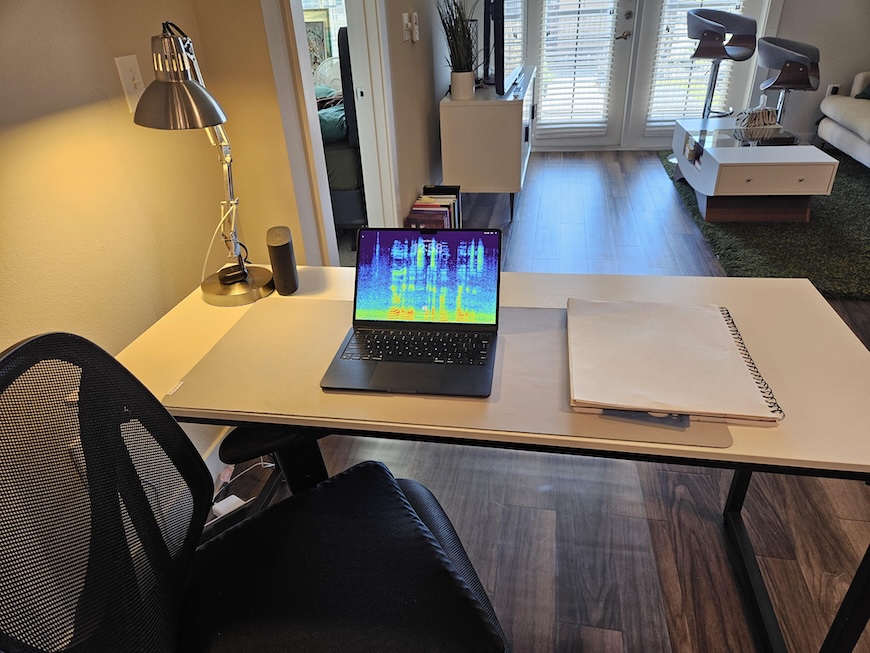
I have a macbook air, a desk, a notepad, and some killer AI tools. I pay $20 per month for Claude Pro and $20 per month for a Cursor Pro subscription. When I have free time, and I'm not totally fried or exhausted, I work on the browser. That's basically it! Claude and Cursor help me plan, build and test the browser.
I'm calling it Amigo, and I try to work on it as much as I can without burning out. You can burn yourself out really quick doing AI assisted development if you're not careful. I take as many long walks as I want, get good sleep, work out, and spend most Sundays unplugged from technology. It's a marathon, not a sprint.
How it's going
It's going okay! Amigo can navigate Wikipedia articles and read them to you pretty easily. It can also log you into Gmail, tell you what's in your inbox, write and send an email, as of yesterday. Pretty cool right?
There are about 100,000 other things you need to be able to do with a browser. How do we deal with privacy and passwords and user preferences? What if Amigo hallucinates and tells you something false? But it's a start! My big goal right now is to get this project usable enough for testing with real live human beings.
That's probably enough for now. Thanks for reading.